🔥 Power User Tips
Why cmd.ms?
As a Microsoft 365 admin, you spend your day jumping between dozens of admin portals — Entra, Intune, Defender, Purview, Azure, and more. Each one has a long, hard-to-remember URL. cmd.ms gives every admin page a short, memorable command so you can get where you need to go instantly.
Instead of bookmarking hundreds of links or clicking through menus, just remember the command and go.
🚀 The address bar is all you need
The most powerful feature of cmd.ms is that you don't even need to visit the site. Just type the command directly in your browser's address bar:
enusers.cmd.ms     → Entra Users
enca.cmd.ms        → Conditional Access
indevices.cmd.ms   → Intune Devices
defender.cmd.ms    → Microsoft 365 Defender
That's it — type <command>.cmd.ms and hit Enter. Your browser will take you straight to the right admin page. No need to open cmd.ms first.
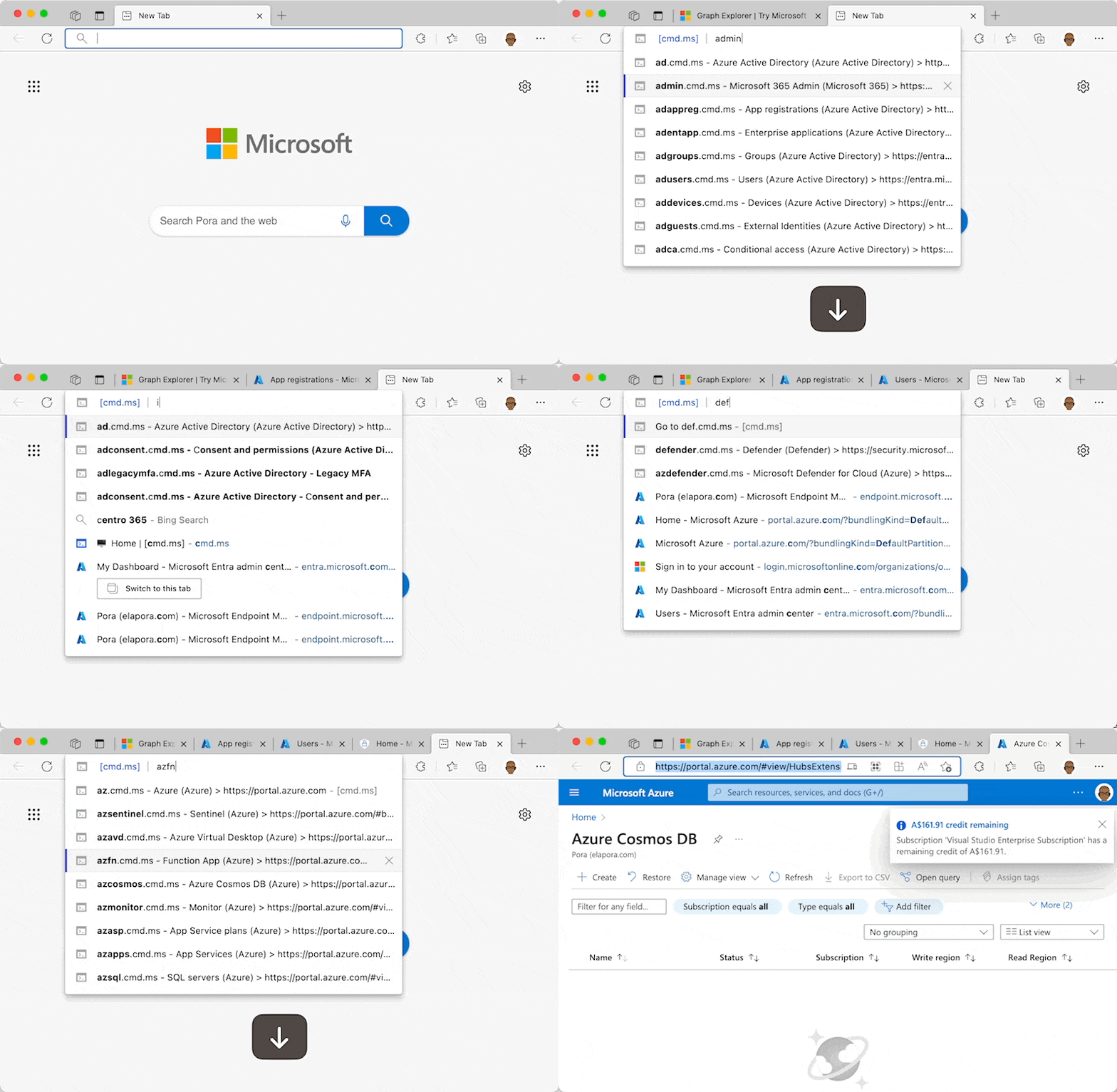
After you've visited a command once, your browser will autocomplete it. Just start typing en and your browser will suggest enusers.cmd.ms, enca.cmd.ms, and more.
The cmd.ms/[command] format also works (e.g. cmd.ms/enusers), but [command].cmd.ms is better in the long run because your browser autocompletes the .cmd.ms suffix as soon as you start typing the command.
⌨️ Keyboard shortcuts
Navigate the home page without lifting your fingers off the keyboard. Just start typing and the search box auto-focuses and filters results as you type.
| Shortcut | Action |
|---|---|
| Start typing | Auto-focuses the search box and filters the table |
| ↓ / ↑ | Navigate up and down through table rows |
| Enter | Open the selected row's link in a new tab |
| / | Focus the search box |
| Esc | Clear the search box and reset the table |
| ? | Show the keyboard shortcuts overlay |
Press ? at any time to see the shortcuts overlay right on the page.
🧩 Browser extension
Install the browser extension to get autocomplete for all commands directly in the address bar — no need to type .cmd.ms each time.
Once installed:
- Open a new tab
- Type c and press Space or Tab
- Type the command, e.g. enusers
Get the extension for your browser: